Data Recovery by Solution

Veeam Data Recovery

Ontrack Veeam Backup Recovery. Don‘t waste time! Contact the experts at Ontrack for data recovery.

To avoid the risk of an IT disaster, Ontrack employs advanced techniques to repair, restore, and reconstruct Veeam backups that have become inaccessible.

Ontrack's global team has years of experience and training, a variety of proprietary tools, and expertise gained by working with virtual machine software vendors and hardware OEMs who also recommend our services.

Gray-Veeam 2 Why is Backup

Why is backup and recovery important?

The most valuable and important thing in today's business environment is data.

Backup is usually only resorted to after primary data failures in order to restore an earlier point in time with a copy of the data. According to Veeam's Data Protection Reports, four out of ten physical servers experience at least one failure per year. Generally, however, only one in two backup and restore operations works completely. The complexity of IT environments is constantly increasing, along with environmental disasters, power outages, and the growing threat of cyberattacks. Staff shortages and human error add to the problem. Three out of four companies recorded a ransomware attack last year. About a third of the companies that paid the hackers were unable to access their data. The average downtime was generally two weeks.

Source: 2021 + 2023 Veeam Data Protection Report, 2022 Veeam Ransomware Trends Report


Why Ontrack Data Recovery

Gray-Hard Drive 3 Any Time

Multiple Service Offerings

Ontrack offer's flexible service offerings to meet your unique needs and budgetary considerations. Our experts are on standby 24/7/365.

Gray-Complete Transparency

Complete Transparency

We want you to have control over your data recovery process. You'll know exactly what can be recovered before paying.

Gray-Raid 14 unrivaled Global

Unrivaled Global Expertise

Backed by the world’s largest R&D team, we have the knowledge and ability to address your unique data recovery needs.

Veeam Data Recovery Services

Whether your device has suffered physical damage or undergone a logical failure, we offer you a range of services to match your specific needs.

Our experts are on-hand and will respond to your issue immediately. From assisting with troubleshooting to onsite recovery, our wide range of expert recovery options will ensure you receive the very best solution to solve your RAID data loss problem.

In-Lab Raid Data Icon
In-lab RAID Data Recovery
The recovery option supports any RAID system, no matter what data loss situation has been experienced. This recovery service is provided in our state-of-the-art data recovery lab and ISO-5/Class 100 cleanroom environment to ensure the safety of your data.
Remote Veeam Icon
Remote Veeam Data Recovery
Your data is recovered remotely without your media ever leaving your premises. We connect to your system via the Internet to perform a live recovery. Available when the storage device or system is still operational.
Custom Veeam Icon
Custom Veeam Data Recovery
We offer custom-designed recovery solutions for proprietary RAID systems and/or highly complex enterprise-level systems. Our R&D team will work with your IT staff to create an emergency solution to retrieve your data.
emergency-case

Ontrack is your partner in Veeam backup recovery.

When your normal availability of Veeam backup data starts having issues, things can get tight fast. We know how important your backups are and can help you recover and rescue your data.

  • Have you suffered hardware damage and no longer have access to your Veeam backup data?
  • Have your VBK files been deleted by mistake?
  • Is there a problem with restoring your Veeam Backup files?
  • Have you fallen victim to ransomware and lost your Veeam Backup files?

What Our Customers Say About Our Data Recovery Services

4-Step Data Recovery Process

We ensure that our process is transparent, quick and safe. You’ll be informed every step of the way for complete peace of mind.

Consultation Consultation
Consultation

Free consultation with quick and direct access to specialists. Contact our experts directly for comprehensive data recovery advice and a no obligation quote. Available 24/7 for business emergencies.

Evaluation Evaluation
Evaluation

After receiving your storage device, our experienced engineers will undertake an in-depth evaluation. We aim to quickly provide you information on how much data we expect to be able to save, how long it will take and at what fixed costs. Sometimes a more extensive diagnosis is necessary, and we will communicate your options to you at every step.

Data Recovery Data Recovery
Data Recovery

With your approval, we recover your data based on your chosen service level. Through our secure portal you can track the status of your recovery.

Data Return Data Return
Data Return

Once the data has been recovered, we will send it back to you in the agreed manner and encrypted on an external storage device.

Veeam Data Loss Causes

servers-raid

Common causes of data loss from Veeam virtual machine backups.

There are many causes of data loss. Fortunately, Ontrack has expertise in recovering data from the following situations, among others.

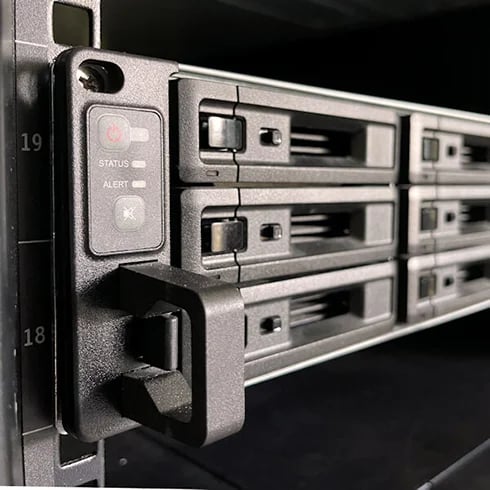
  • Hardware failures of backup servers such as NAS or SAN systems
  • Hard disk failures of external drives and RAID systems
  • Formatting of LTO tape backups
  • Deleted or encrypted backup server partitions
  • Factory reset on a network attached storage (NAS) system
  • Accidentally deleted Veeam backup files
  • Corruption in Veeam VBK and VIB backup files
  • Overwritten data after an erroneous backup restore
  • Faulty incremental files and restore points
  • Incomplete or faulty restore of virtual machines
  • Merging of faulty Veeam full and incremental backup files
  • Faulty tape backups

How Fast Do You Need Your Data Back?

Our team of trusted experts are on standby to help. We offer flexible service offerings to meet your unique needs and budgetary considerations.

Emergency

Emergency

24/7 Until Completion

Priority

Priority

Average of 2-5 business days

Standard

Standard

Average of 7-14 business days

Frequently Asked Questions

How do backup files become damaged or corrupted?

Backup files can become corrupt in a number of ways:
  • Large backup files may become damaged while copying to other devices
  • Backups were accidentally or intentionally deleted
  • Files may be damaged during encryption

What is data destruction?

Erasure software is used before the drives are transported to equipment for physical destruction to eliminate the possibility of data being intercepted during transport. Physical destruction on hard disk drives can be done with a degausser that uses a powerful magnetic field, which erases not only the data but removes the servo tracks, making the media unusable. The most permanent and final destruction solution involves the use of granulators, also known as shredders. These machines rip, tear, or smash a hard drive or SSD into pieces so small that data cannot be recovered from the media or memory chips.

Can you recover data from a shredded hard drive or SSD?

If best practices are followed during data destruction, there is no way to recover data from a shredded hard drive or SSD, especially if data erasure software or a degausser (HDD) was used before shredding. However, if a drive was not erased before shredding and the equipment was not set up to create small enough pieces, a full memory chip might be knocked off an SSD without being destroyed, which can be recovered by a data recovery expert like Ontrack. Improper setup of a shredder/granulator could also lead to an entire disk platter being left intact after a drive is run through shredder set up for a much larger enterprise drive, but such an occurrence would be highly unlikely.

Does data destruction remove windows?

Physical data destruction such as degaussing or shredding will make a hard disk drive or SSD inoperable so that none of the data, software, or other programs on the device will function. Erasure software can be used in such a manner that it erases only specific files, leaving Windows or other operating systems intact when an organization desires to repurpose the asset after wiping the data. The comprehensive approach to drive eraser software will remove all data and programs, including the operating system.

Does degaussing a hard drive make it non-functional?

When degaussing a traditional hard drive, the magnetically coated platters that store data are completely erased. Degaussing involves subjecting a hard drive to a magnetic field, which essentially demagnetizes the platters. The drive is rendered completely inoperable because there are no longer tracks and sectors on the platter which are used to organize and locate data. Degaussing provides permanent removal of data and is recommended as a step in the data sanitization of traditional hard drives, tape, and other magnetic media. After degaussing, devices can be physically destroyed using a special shredder—the process guards against the possibility of any potential for possible data recovery.

Experiences that matter

Ontrack has extensive experience with all types of data loss scenarios. Our goal is to provide our customers with peace of mind in the event of data loss due to hardware failure, human error, natural disasters or cyberattacks.

40

Years

In the business

1

Million+

Customers and growing

120

Petabytes+

Of recovered data

73,661,023,683

Of data files recovered over the last twenty years... and more and more every day!

Start your data recovery now with a free consultation.

Contact our team of experts.

KLDiscovery Ontrack Pty Ltd, Suite 9, 28 Donkin Street, West End, Brisbane, QLD 4101, Australia (see all locations)