Data Recovery by Device

NAS Data Recovery

Ontrack offers NAS (Network Attached Storage) data recovery for all manufacturers, operating systems, and configurations. Recovering your data is our priority. We've helped hundreds of thousands of clients with data recovery services, including everyone from small businesses to FTSE 100 listed companies.

Our engineers have extensive knowledge on all types of storage technology. We can successfully recover data from the oldest to the most recent DAS, SAN, NAS, and SDS configurations on the market. Moreover, we support all vendors, media formats, and operating systems.

Why Ontrack Data Recovery

Gray-Hard Drive 3 Any Time

Multiple Service Offerings

Ontrack offer's flexible service offerings to meet your unique needs and budgetary considerations. Our experts are on standby 24/7/365.

Gray-Complete Transparency

Complete Transparency

We want you to have control over your data recovery process. You'll know exactly what can be recovered before paying.

Gray-Raid 14 unrivaled Global

Unrivaled Global Expertise

Backed by the world’s largest R&D team, we have the knowledge and ability to address your unique data recovery needs.

NAS Data Recovery Services

With specially developed data collection tools and techniques, our experts can quickly restore your lost data on any system. This applies to all types of NAS servers and RAID levels, all RAID controllers, all drives regardless of whether HDD or SSD and no matter what manufacturer. Ontrack works directly with most manufacturers to achieve the best recovery results possible. Some of these manufacturers include:

Manufacturers

ACER

Apple®

Buffalo™

Cisco®

Dell™

D-Link®

Drobo™

EMC®

Fujitsu

Hewlett Packard

Hitachi

Iomega

Manufacturers

Lite-On®

LevelOne®

LaCie®

LG

NetApp®

Netgear®

Rackmount

Promise Technology

QNAP®

Seagate®

Synology®

Thecus®

What Our Customers Say About Our Data Recovery Services

4-Step Data Recovery Process

We ensure that our process is transparent, quick and safe. You’ll be informed every step of the way for complete peace of mind.

Consultation Consultation
Consultation

Free consultation with quick and direct access to specialists. Contact our experts directly for comprehensive data recovery advice and a no obligation quote. Available 24/7 for business emergencies.

Evaluation Evaluation
Evaluation

After receiving your storage device, our experienced engineers will undertake an in-depth evaluation. We aim to quickly provide you information on how much data we expect to be able to save, how long it will take and at what fixed costs. Sometimes a more extensive diagnosis is necessary, and we will communicate your options to you at every step.

Data Recovery Data Recovery
Data Recovery

With your approval, we recover your data based on your chosen service level. Through our secure portal you can track the status of your recovery.

Data Return Data Return
Data Return

Once the data has been recovered, we will send it back to you in the agreed manner and encrypted on an external storage device.

NAS Data Loss Causes

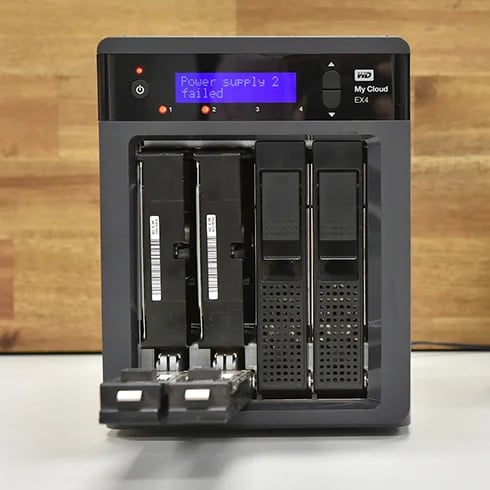
NAS Western Digital My Cloud

Typical causes of NAS data loss

Each data loss has its own story, but there are common scenarios that require data recovery from network storage:

  • Human errors
  • Power failure
  • Overheating
  • Defective NAS controllers
  • Mechanical errors
  • Natural disasters
  • Ransomware attack

Call us to find the fastest solution for your NAS recovery. We recover data for companies and individuals. No NAS recovery is too big or too small.

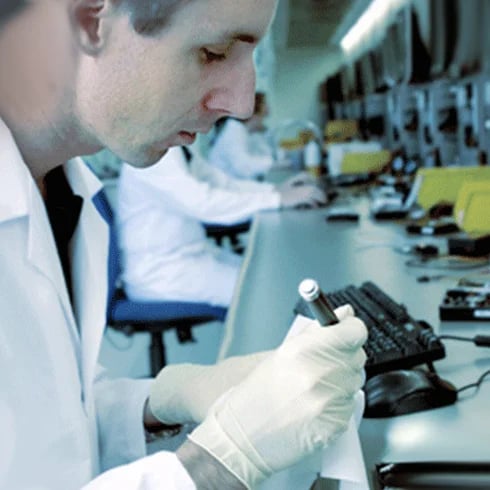
Cleanroom engineer

NAS Technology and Data Recovery

What are the challenges?

Modern NAS devices offer users a wide array of features and technology at an affordable price. The challenge from a data recovery perspective is that as more and more features are added to a device, the complexity of work required to recover the data if something goes wrong often increases as well. In many cases, a user might utilize a function available on a NAS without fully understanding how that technology impacts the data ultimately stored on the drives.

Ontrack has invested hundreds of hours of development time to ensure we stay ahead of the game and can recover data from even the most complex NAS systems.

NAS damaged by fire

Emergency Tips

What to do if you experience a NAS drive failure?

  • If you hear unusual noises, you should shut down the system immediately
  • Validate your backup before replacing or updating hardware or software
  • Do not use RAID recovery software if there is a possibility of a hardware failure
  • Do not defrag possibly damaged drives
  • Do not rebuild and/or reinstall the original system
  • Do not restore a backup to the same volume / drives
  • Call Ontrack to find the fastest solution for your NAS recovery.

How Fast Do You Need Your Data Back?

Our team of trusted experts are on standby to help. We offer flexible service offerings to meet your unique needs and budgetary considerations.

Emergency

Emergency

24/7 until completion

Priority

Priority

Average of 3-7 business days

Standard

Standard

5-15 business days

Frequently Asked Questions

How do backup files become damaged or corrupted?

Backup files can become corrupt in a number of ways:
  • Large backup files may become damaged while copying to other devices
  • Backups were accidentally or intentionally deleted
  • Files may be damaged during encryption

What type of damage can you help with?

We can help retrieve data from devices affected by water damage, fire damage, heat damage, and lightning strike and power surges, as well as those that have been dropped. If you're not sure if we can help, get in touch!

Does data destruction remove windows?

Physical data destruction such as degaussing or shredding will make a hard disk drive or SSD inoperable so that none of the data, software, or other programs on the device will function. Erasure software can be used in such a manner that it erases only specific files, leaving Windows or other operating systems intact when an organization desires to repurpose the asset after wiping the data. The comprehensive approach to drive eraser software will remove all data and programs, including the operating system.

Does degaussing a hard drive make it non-functional?

When degaussing a traditional hard drive, the magnetically coated platters that store data are completely erased. Degaussing involves subjecting a hard drive to a magnetic field, which essentially demagnetizes the platters. The drive is rendered completely inoperable because there are no longer tracks and sectors on the platter which are used to organize and locate data. Degaussing provides permanent removal of data and is recommended as a step in the data sanitization of traditional hard drives, tape, and other magnetic media. After degaussing, devices can be physically destroyed using a special shredder—the process guards against the possibility of any potential for possible data recovery.

Does destroying a hard drive with a hammer make it unrecoverable?

We've seen videos of do-it-yourself data destruction with nail guns, hammers, and automobiles. And while these methods physically destroy devices, they don't provide a verifiable, certified method to ensure data is inaccessible and unrecoverable. Destroying a hard drive with a hammer might render it inoperable, but because Ontrack engineers are known for their miraculous data recovery rescues (including a hard drive from the crashed Space Shuttle), anything is possible.

Experiences that matter

Ontrack has extensive experience with all types of data loss scenarios. Our goal is to provide our customers with peace of mind in the event of data loss due to hardware failure, human error, natural disasters or cyberattacks.

40

Years

In the business

1

Million+

Customers and growing

120

Petabytes+

Of recovered data

73,661,023,683

Of data files recovered over the last twenty years... and more and more every day!

Start your data recovery now with a free consultation.

Contact our team of experts.

KLDiscovery Ontrack Pte Ltd, 148 Electric Road 12/F, Unit 1203A, North Point, Hong Kong (see all locations)