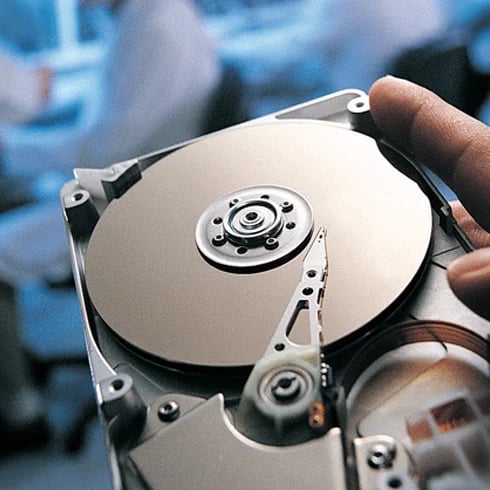
How do backup files become damaged or corrupted?
Backup files can become corrupt in a number of ways:
- Large backup files may become damaged while copying to other devices
- Backups were accidentally or intentionally deleted
- Files may be damaged during encryption
What is data destruction?
Erasure software is used before the drives are transported to equipment for physical destruction to eliminate the possibility of data being intercepted during transport. Physical destruction on hard disk drives can be done with a degausser that uses a powerful magnetic field, which erases not only the data but removes the servo tracks, making the media unusable. The most permanent and final destruction solution involves the use of granulators, also known as shredders. These machines rip, tear, or smash a hard drive or SSD into pieces so small that data cannot be recovered from the media or memory chips.
Can you recover data from a shredded hard drive or SSD?
If best practices are followed during data destruction, there is no way to recover data from a shredded hard drive or SSD, especially if data erasure software or a degausser (HDD) was used before shredding. However, if a drive was not erased before shredding and the equipment was not set up to create small enough pieces, a full memory chip might be knocked off an SSD without being destroyed, which can be recovered by a data recovery expert like Ontrack. Improper setup of a shredder/granulator could also lead to an entire disk platter being left intact after a drive is run through shredder set up for a much larger enterprise drive, but such an occurrence would be highly unlikely.
Does data destruction remove windows?
Physical data destruction such as degaussing or shredding will make a hard disk drive or SSD inoperable so that none of the data, software, or other programs on the device will function. Erasure software can be used in such a manner that it erases only specific files, leaving Windows or other operating systems intact when an organization desires to repurpose the asset after wiping the data. The comprehensive approach to drive eraser software will remove all data and programs, including the operating system.
Does degaussing a hard drive make it non-functional?
When degaussing a traditional hard drive, the magnetically coated platters that store data are completely erased. Degaussing involves subjecting a hard drive to a magnetic field, which essentially demagnetizes the platters. The drive is rendered completely inoperable because there are no longer tracks and sectors on the platter which are used to organize and locate data. Degaussing provides permanent removal of data and is recommended as a step in the data sanitization of traditional hard drives, tape, and other magnetic media. After degaussing, devices can be physically destroyed using a special shredder—the process guards against the possibility of any potential for possible data recovery.
Does destroying a hard drive with a hammer make it unrecoverable?
We've seen videos of do-it-yourself data destruction with nail guns, hammers, and automobiles. And while these methods physically destroy devices, they don't provide a verifiable, certified method to ensure data is inaccessible and unrecoverable. Destroying a hard drive with a hammer might render it inoperable, but because Ontrack engineers are known for their miraculous data recovery rescues (including a hard drive from the crashed Space Shuttle), anything is possible.
What is secure data destruction?
Best practices for secure data destruction involve using data erasure software to securely overwrite data on hard drives and SSDs, including the hidden areas and remapped sectors. Erasure is done per government standards such as NIST, DOD, and many more.
What is the primary goal of secure data destruction?
The main objective of secure data destruction is to make it impossible to recover data from a data storage device that is no longer in use by an individual or organization. Destroying this data reduces the risks of identity theft, financial theft, reputational harm, or corporate espionage.
Why is data destruction important?
Data on storage devices no longer in use by an individual or for business purposes by an organization has the chance of being accessed by threat actors who may use the data for identity theft, compromising privacy, financial theft, reputational harm, or corporate espionage. Once the data is destroyed, it is no longer available to those who would choose to use the data in this manner.
Does Ontrack look at the data on my external hard drive?
No. Ontrack does not open any of your files. Our data recovery experts simply generate a file report.
How much will it cost to recover data from my external hard drive?
Data recovery costs vary depending on the severity of each data loss incident. For more information, contact an Ontrack specialist to request a free data recovery quote.
What if my external hard drive is encrypted?
Ontrack will need the encryption keys/passcode to properly evaluate your device.
How do I find old and deleted Veeam backups?
You can find old and deleted Veeam backups in the Veeam backup repository. Here you should pay attention to the settings and configurations of the repository retention.
How does Ontrack recover data from virtual machines stored in Veeam backups?
Our engineers, with 35 years of research, experience, and development in data recovery, have the knowledge and tools to recover your data. Ontrack experts can recover data from Veeam and virtual machines backed up with it, such as from VMware and Hyper-V. All necessary steps are taken to ensure data integrity and recover the data as quickly as possible.
How long does it take to restore Veeam backup data?
As a rule, Veeam VB &R should be able to restore your data without any problems. The duration of the recovery of Veeam backup data depends on the type and size of the backed-up data. This also has an impact on any data recovery. However, Ontrack will take all necessary steps to complete the recovery process as quickly as possible and make the data available to the customer.
Is it possible to repair corrupted incremental Veeam VIB files?
Yes, in many cases damaged Veeam VIB files can be repaired. For this purpose, special tools and techniques will be used at Ontrack.
My Veeam VBK backup files have been damaged (corrupted) due to a ransomware attack. Can Ontrack recover my data?
Ontrack has many years of data recovery expertise and has developed proprietary software to recover data from Veeam backup files. As a result, a significant amount of damaged Veeam jobs can be recovered, even in cases where malware has corrupted files. Our exclusive recovery methods address damaged VBK files and we can recover lost data from any type of storage media.
What are the main causes of Veeam Backup data corruption?
- Hardware failures
- Faulty backup-restore operations
- Faulty incremental files and restore points
- Cyber attacks
- CRC errors
- Faulty tape backups
- Formatting errors with LTO tape backup backups
What are the options to repair the Veeam data stored in an iSCSI device?
To repair Veeam data in an iSCSI device, it is important to note that very often there could be damage to the underlying storage tier or hardware. A professional data recovery specialist will be happy to help you with a consultation and clarification.
What backup strategy should I choose?
A good backup strategy is the 3-2-1 rule: three copies of your data, two of them on different media and one copy at a different location.
What can I do if the Veeam backup data files have been deleted?
If your Veeam backup data has been deleted, you should immediately contact a data recovery service like Ontrack to check the possibility of data recovery.
Why should I use Ontrack to recover my data on damaged or corrupted backups rather than the manufacturer?
The response time of Ontrack is much more flexible and can be actively influenced by the customer, i.e. choosing standard express or emergency level service. In addition, as a manufacturer-independent problem solver, Ontrack is in a unique position to guarantee a holistic view of the data loss situation, taking advantage of additional solutions that are not available to manufacturers using their own on-board resources. Ontrack is more agile and flexible, often offering a solution where manufacturers cannot get any further.
Can you recover data from VMware Storage Snapshot backups or virtual machines infected by malware?
Many organisations rely on virtual machines in their data centres and implement backups through Veeam software products. Ontrack fully supports the recovery of VMware, vSphere, and Microsoft Hyper-V integrated with the Veeam environment.
How do I extract and restore Microsoft Exchange from tape?
With Ontrack PowerControls for Exchange you can perform a full backup of your Exchange server with your standard backup software. Ontrack PowerControls for Exchange restores and extracts individual mailboxes, folders, attachments, calendar items, or any number of duplicate or unique messages directly to your production Exchange server or any .pst file. You can then have full access to all the information stored inside the mail server for legal or compliance related purposes. With the advanced find functions of Ontrack PowerControls, it is easy to search by matching keywords, excluding keywords, dates, senders, subjects, and recipients.
How do I recover an email from Microsoft Exchange which is stored on a tape?
You can recover a single email from tape by using Ontrack PowerControls for Microsoft Exchange. To access a single email, you just have to import an existing Exchange database file (.edb) or Personal Storage file (.pst) into the software. By doing so, you now have full access to the emails inside the Exchange or Outlook database file. Then, you can easily find the email required by using the advanced search functions, selecting the item and copying and pasting the email to any location.
How do I restore emails from Microsoft Exchange?
Normally emails are stored deep within your backup software. The complete Microsoft Exchange mailbox server database file (.edb) is embedded within the backup software files. The .edb file contains all the mailboxes and their respective emails.In order to gain access to the emails, you must first restore the backup access the .edb file. Then you have two options:You make a brick-level backup with another physical Microsoft Exchange mailbox server to restore all or single emailsIf you prefer an easy and reliable way, you use Ontrack PowerControlsOntrack PowerControls is a specialised software package which allows you to easily extract the .edb file from its container format with its ExtractWizard and import it into the software. Soon after, you have full access to each and every email from the Microsoft Exchange mailbox server. Since Ontrack PowerControls maintains the integrity of the Exchange source files, it is the perfect tool to search, identify and export relevant data for ediscovery review or for compliance and regulatory requests.
How do I find out which tape is storing a particular file?
That depends on the software and tape library system you are using.In some tape storage software you can - as the tape library administrator or operator - use a certain code command to track down a certain file on a tape. However, this is only possible if you know the exact name of the required file. There is still the chance that you will find a wrong copy of the file. The main issue is that, since you have several copies of the same single file with any advanced backup system and you are not able to identify which one you are looking for, you can only guess the exact name.A simple solution to this would be to create an index and catalogue of tape and archive media, which is more time and cost-effective if you need to access specific files on your tapes.
How do I tell what content is stored on a tape?
This depends on the particular case. If the tape hardware system is still up and running, it is quite easy to create the content list of the tapes without restoring all the content from all the tapes. There is usually some basic functionality in the tape storage system with which you can create and access a content list and find out what is on the tapes.Without the backup software, you can at least find out what is on the tapes, even though you cannot restore the backup. If you have neither the tape system nor the backup software available, you should definitely contact a data recovery expert who specialises in tapes.
I can't find the backup software and/or hardware to restore my tapes. What can I do?
You can try to get a copy of the backup software by contacting a software vendor or distributor online or in a shop. If you are affected by some of the common tape and backup media problems, or the software is very old and not available anymore, simply get in contact with data recovery experts. Ontrack has very specific tools and hardware for a range of tape media, which aren't available in the market anymore, to gain access to your tape data.
My server recognises the tape drive but not the tape library. What can I do?
This is usually due to the driver not working correctly or the backup/tape storage system software not properly installed. Reinstall them, then try to access the library. If this is still not possible, you should get in contact with data recovery experts, such as Ontrack, who have very specialised tools to recover the library and its content from a range of tape media.
I want to change from NetWorker to another system. What should I do if problems occur?
NetWorker is one of the most advanced backup storage solutions on the market. As with other solutions, the migration of an existing NetWorker system to another product is extremely problematic.The best approach to such a project is to get access to the data stored inside NetWorker with the built-in recovery function. In doing so, the compressed NetWorker files will be extracted to another storage space from where you can import the data into the new system. Normally, it is nearly impossible to import the metadata managed by NetWorker into the new hardware and backup solution. In most cases, you have to build the metadata of the new system from scratch and import the content into the appropriate folders or archives. Furthermore, NetWorker has a lot of features integrated into the system which makes it - if problems arise during the migration process - difficult to recover the backup.Whether the NetWorker backup system is based upon tapes or hard disks, or a combination of both, the integration of deduplication and virtualisation of backup files when recovering a NetWorker backup is a complicated task. Only specialised professionals can - if a backup is damaged - recover the backup and rescue the data inside. In such a case, we review the accessible data and search for references, which lead to the original structure of the underlying and compressed data files, whether they were stored in virtual machines or deduplicated for faster use and file size reduction.
How can I migrate my current NetBackup or NetWorker backups to TSM?
You could import old NetBackup or NetWorker tapes to build a recent catalog, then either restore the data so you can access the content stored on tapes and disks and import it into Tivoli. Beforehand, you have to build the system from scratch, deploying all the policy domains, jobs, and structures. You can also try one of the special software solutions that are on the market, which can import NetBackup or NetWorker backups without the need for restoration. However, if this connector software doesn't work properly and the import fails, you will have even more problems.If the original data structure - both the files inside the backup and the NetBackup or NetWorker policies, schedules and other solution data - is damaged by the process, it is hard to carry out a restore to the original state to begin the project again, or to make a traditional restore and import into TSM. In this case, our experts can both recover the lost data and migrate your old NetBackup or NetWorker system to TSM.
How can I migrate my current TSM, NetBackup or NetWorker to CommVault without any issues?
In contrast to other backup storage software solutions, CommVault offers an easy way to migrate from other products. Its External Data Connector enables future or new clients of its current Simpana backup software to import the metadata which is stored inside a backup as well as details which are required regarding the current TSM, NetBackup or NetWorker storage structure, such as client information, policy details, job information, policy schedules, and tape inventories. With this information available, IT professionals then can translate the old clients to Simpana clients, deploy the client hardware and inherit the defined policies from the old TSM, NetBackup or NetWorker system.In the unlikely event that migration doesn't work because of hardware or software failures, this can result in problems that even a talented IT administrator cannot solve by themselves. Broken tape library linkage or tape catalog files make it hard even for experts to recover the original structure of the entire backup system and the attached tape library. If a migration from TSM, NetBackup or NetWorker backup to CommVault stops midway through, then you can find yourself in deep trouble. In most cases, our experts can recover the data lost during the failed process and they can complete the migration.
How do I carry out a backup software migration?
Changing or migrating your current backup software to a new backup software solution or product is not an easy task. You might say that executing some backup software commands that start a general restore from tapes to server can cause no problems. However, many of our clients have told us that the application always crashed doing when trying to do it. The backup software usually tries to recover files, entire servers and databases extremely fast, but it does not support a process of switching to different backup software.Currently, there is only one product on the market that can help you migrate from TSM and NetBackup. However, for other backup software solutions there are no such applications available. Therefore, you have to do your migration job the traditional way: extract all the data stored in your current backup solution to an appropriate storage space; build the new backup system (both hardware and software) from scratch, create the archive architecture and import the new backup system. Additionally, all necessary clients, policy details and schedules, and tape inventories and catalogues have to be generated.A task this bit can become overwhelming, even for an IT department in a large corporation, as it is very time-consuming. You should consider contacting a specialist tape migration service provider - make sure they have experience in successfully completing several migration projects for all kinds of enterprises, regardless of industry or size.
How do I carry out data migration from a backup?
Whether you experience difficulties trying to access the tapes or the data stored on them, our experienced tape data recovery experts can help. They have all the necessary equipment - both software and hardware - and experience with successful tape recoveries from a range of tape media.
I need to migrate backup tapes. What are the considerations when doing this?
If you are thinking about migrating all of your current tape libraries to one consolidated tape platform, get help from the experts at Ontrack. They can advise you about the steps that are required before carrying out this process.
How are custodian extractions and restores performed from tape?
Extractions and restores for investigations and legal cases are normally performed the same way as normal extractions and restores. The content of the tapes is restored either by a full or a brick-level backup (to get access to the tapes content) or by using Ontrack PowerControls for Exchange or Ontrack PowerControls for SharePoint. Using this specialised tool, you can completely eliminate a brick-level backup for single item restore. Additionally, Ontrack PowerControls provides the ability to search, collect and extract the data stored inside a backup without changing the original data source.For further investigation and legal purposes, Ontrack Legal Technology and Computer Forensic experts offer a wide range of services for every possible legal- and compliance-related situations. They provide standardised and unique processes ranging from data identification, data preservation, data collection as well as data analysis and data processing in order to gain complete insight and more control over digital document evidence
How do I extract and restore user data from tape?
This depends on the case.If you try to access user data, which was originally stored inside a SharePoint server and then backed up on tape, you could use Ontrack PowerControls for SharePoint. With this specialised tool, all user data which is stored on SharePoint can be recovered as easily as emails, mailboxes and Exchange server databases.If you can access your SharePoint server databases by extracting them with your backup software, just load them into Ontrack PowerControls for SharePoint and search for the material required.If the user data is not stored inside a SharePoint environment and the backup software will not show any results, you should consult the experts at Ontrack. They have the necessary tools to both access the lost tape catalogue as well as recover any data that might needed from the tapes.
How do I perform a mailbox extraction from tape?
Import either an existing Microsoft Exchange database file (.edb) or an existing Personal Storage file (.pst) into Ontrack PowerControls for Exchange. After importing it, you can select the desired mailbox and search for single emails that are required, perhaps for review or legal purposes. Since no changes are made to the original data, using Ontrack PowerControls for Exchange is the perfect tool for use in legal disputes
How do I restore a tape backup?
First of all, it is important to note that backup tapes were created for business continuity purposes. Therefore, planning for a backup restoration is advised so that, should you ever need the data for litigation or regulation purposes, the data is easily accessible and your business can meet the necessary legal and compliance requirements. In most cases, you take the tape backup software that your enterprise uses to carry out restores. You can either choose a full backup restore or a brick-level restore to gain access on single items. Since the brick-level backup restore demands a second server and takes a long time to complete, it is an expensive and complicated method. With Ontrack PowerControls for Exchange and Ontrack PowerControls for SharePoint, there is no longer a need to set up a second server. You can easily restore single storage items simply by using your existing full backup. With ExtractWizard, you can extract the Exchange database (.edb) containing the mailboxes or the SQL files containing .mdf, .ndf and .ldf files from the original backup format within seconds. Less
How to extract emails out of a .pst file from tape?
This is quite simple. You just import the .pst file into Ontrack PowerControls and extract the required emails. By using the target, you can select multiple single emails and collect them in any order that suits your needs. You can either copy and paste your selected emails and save them as a text file or assemble them and save them again as a .pst file for further use.If you do not have an original .pst file on tape, you can also restore the single mailbox via an .edb file with Ontrack PowerControls, select the appropriate single mailbox, search for the important emails, arrange and save them as a new .pst file or as single text files.
What is the difference between a legally compliant tape restore and a normal tape restore?
Since tape content is sensitive to legal compliance and, in some cases, to legal prosecution, it is absolutely essential that the material is original. No additions or changes to the content and its metadata are allowed to be made by the backup or restoration software in use. With this in mind, only specialised software can be used to avoid inadvertent damage to evidence.Even though it is possible to restore the tape content with your standard tape backup software, it is wise to use a forensically-sound email and content management tool, like Ontrack PowerControls. It allows IT personnel to meet all critical requests from the legal department and other external enquiries. Ontrack PowerControls software can also help administrators search, recover, restore and export data efficiently in Microsoft Exchange Server and/or Microsoft SharePoint Server environments.
How do I extract a mailbox from a tape?
By extracting the mailbox from an existing backup file, you can then access either the .edb or the .pst file for multiple or single mailboxes. After the extraction, you have full access to all emails stored inside the mailbox(es) and can search, collect or save both the content as well as the attached data in whatever way you want. Before you can make use of Ontrack PowerControls for Exchange, you have to extract your .edb file using your current backup software.
How do I extract and .edb file from tape?
Even though it could be possible to access and extract an existing Exchange database file (.edb) directly from tape, it is neither common nor advisable since most IT professionals store their entire Microsoft Exchange server in a backup solution, which is then saved into a different format. Modern tape storage systems usually store their information on several different tapes. Accessing the entire contents of an .edb file can therefore result in a time consuming process.The standard procedure of an .edb extraction is basically to copy the .edb file onto a different storage device - usually a disk - and then extract its content using Ontrack PowerControls for Exchange.
How can I speed up my tape restoration time?
You can use backup inventory and catalogue files. However, it is worth noting that tape restoration time should not be underestimated and forward planning is always advised to prevent disruption to your business. In order to reduce time and money spent, it is worth knowing the structure (order, sessions and tape sets) of the backup tapes. With the possibility to create inventories and catalogue files by the backup software, a good deal of time can be saved when performing a backup extraction. Since these two files contain all the necessary information for the restore process, accessing them will dramatically speed up the backup process. Since not every source and tape storage location has to be checked over and over again, the restore just relies on the information provided and will therefore be much faster.
I need to convert my tapes to another format. What do I need to consider?
Let the specialists at Ontrack take care of the job for you. We have established processes for every kind of tape-related service, and provide cost and time-effective conversion.
Is Ransom Encrypted data lost?
Ransomware encrypted data is not always lost. Ontrack has a wealth of self-developed tools and work processes to recover data affected by cyber-attacks from corporate IT infrastructures without paying a ransom.
Can Ontrack recover from a server infected with ransomware?
Ontrack's investment in the development of specialized software allows us to recover data from ransomware-encrypted systems, virtual machines, backup files, tapes, and other storage media.Ransomware incidents vary on the type of payload, and data recovery can be complex. Ontrack provides the best possible solutions for data recovery success.
Our virtual machine is infected with ransomware. Can Ontrack help?
Ontrack has invested in the continued development of proprietary software to recover data from ransomware-infected storage systems, virtual machines, backup files, tapes, and other storage media.Ransomware incidents vary on the type of payload, and data recovery can be complex. Ontrack provides the best possible solutions for data recovery success.
How are ransomware attacks performed?
The extension hardly distinguishes itself from the other malicious programs: for example, manipulated websites, a link from a spam email or an existing message about a social network and embedding them in a system. In many cases, the perpetrators send standard looking emails that contain about delivery or collection debt. In truth, the attached file does not contain any relevant information, except the damage code. From there the attackers start their work. The Lockheed Martin Cyber Kill Chain® framework illustrates what the adversaries must complete to achieve their objective. MITRE ATT&CK® is a globally accessible knowledge base of adversary tactics and techniques based on real-world observations.
How does ransomware spread, and do you get infected by ransomware?
(Spear) Phishing mail
The most common delivery system for ransomware is a phishing email that includes an attachment or a link. For individual machines when the user opens the attachment or clicks the link, the ransomware runs a program that locks the system, and displays a demand for payment. When this happens, the only way to decrypt the data is through a mathematical key only known by the attacker.
There have also been cases where malware will display a message claiming that the user's 'Windows' is locked. The user is then encouraged to call a "Microsoft" phone number and enter a six-digit code to reactivate the system. The message alleges that the phone call is free, but this is not true. While on the phone calling the fake 'Microsoft', the user racks up long-distance call charges.
Infected Webpages and Malvertising/Adware
Infected URLs are commonly used to distribute ransomware. Clicking on one of these links, whether through an email or an unverified website, can automatically trigger a ransomware download to your hard drive, also known as a “drive-by download.” Just visiting the site without even downloading anything can lead to a ransomware attack.
Remote access points (RDP)
Ann increasing number of attacks are gaining access to a company that has open and exposed remote access points, such as RDP and virtual network computing (VNC). RDP credentials can be brute-forced, obtained from password leaks, or simply purchased in underground markets. Where past ransomware criminals would set up a command and control environment for the ransomware and decryption keys, most criminals now approach victims with ransom notes that include an anonymous email service address, allowing bad actors to remain better hidden.
For more sophisticated attacks this is just the start of a series of events as described in the Lockheed Martin Cyber Kill Chain® framework and MITRE ATT&CK® knowledge base.
How does ransomware work?
Ransomware is malware that blocks the operating system or entire server or encrypts existing data. The perpetrators are squeezing their victims by making clear that the data has only been released and made available after a ransom payment. Other ransomware variants focus on wiping or Data-Stealing exfiltration.
How much does ransomware cost an organization?
There is a big difference between an opportunistic ransomware- attack and a targeted attack. An opportunistic attack attempts to infect a significant number of victims and usually a few hundred or a few thousand is demanded. The amount is deliberately low so that paying ransom is the fastest and cheapest option to get back to normal with your IT systems. In the case of a targeted, carefully prepared attack by malicious parties, the ransom can run as high as millions. (NCSC)
What does ransomware mean?
The word ransom comes from English and means 'a sum of money demanded or paid for the release of a captive' and ransomware is therefore also called extortion software. In many cases, experts also speak of encryption trojans, since the extortion is based on the fact that the data is inextricably coded and inaccessible to the user. Ransomware fights itself into the system and the user usually notices in shock and contagious panic that its system is no longer accessible. Over time new tactics emerged combines data encryption with data theft (double extortion) and adding performing a distributed denial-of-service (DDoS) attack (triple extortion). Other variants are Locker ransomware that just locks the computer without encryption or Wiper with objective to permanently destroy access to data.
What is ransomware?
Ransomware is a type of malware that encrypts or otherwise locks users out of their files. When users try to access their data, they receive a notice demanding the payment of a ransom to regain its use. Around since the 1980s, the last decade has seen various ransomware trojans crop up, but the real opportunity for attackers has ramped up since the introduction of Bitcoin. This cryptocurrency allows attackers to collect money from their victims without going through traditional channels.
Who's behind the ransomware cash claim?
Those who stand behind ransomware attacks are usually very scammers with experience in computer programming. Often, ransomware infects your computer via an email attachment, a network, or an infected website. The threat actors range from highly organized cybercriminal groups, sometimes Nation-state actors to individuals using increasingly available easy to use hacking tools.
Should We Pay Ransom?
The short answer is never pay the ransom, but the longer answer is much more complicated. Apart from keeping the cybercrime ecosystem alive. There are cases of victims paying the ransom demanded and not receiving their data back in return. Rather than running this risk, companies should exhaust all other options. Do not forget to check with data recovery experts who may be able to regain access to data by, for example, reverse-engineering the malware.
What can be done to protect backups from ransomware attacks?
Ontrack advises that organisations: Implement a backup and recovery plan for all critical data using the 3-2-1-1-0 strategy: 3 - Retain a minimum of three copies of data, 2 - Store data on two different types of media, 1 - Secure one copy of your backups off-site, 1 - Store at least 1 of the copies offline (air gap), 0 : Be sure to have verified backups without errors. Test backups regularly to ensure proper configuration, which will limit the impact of a data breach and accelerate the recovery process. Implement copy-on-write file systems (NetApp WAFL - Linux ZFS) or WORM features in NAS systems or appliances. Patch critical operating systems and antivirus, security, and backup software as soon as possible. Establish ongoing cyber security training for users and admins to identify phishing emails.